


Help Pager#
The pager is a feature that displays help documentation and function signatures when you request them in a Jupyter Notebook cell. It provides a convenient way to view documentation without leaving your current context.
What is the Pager?#
The pager displays help content such as:
Function docstrings and signatures
Object information
Module documentation
Any content typically shown by Python’s
help()function or IPython’s?and??operators
Default Behavior#
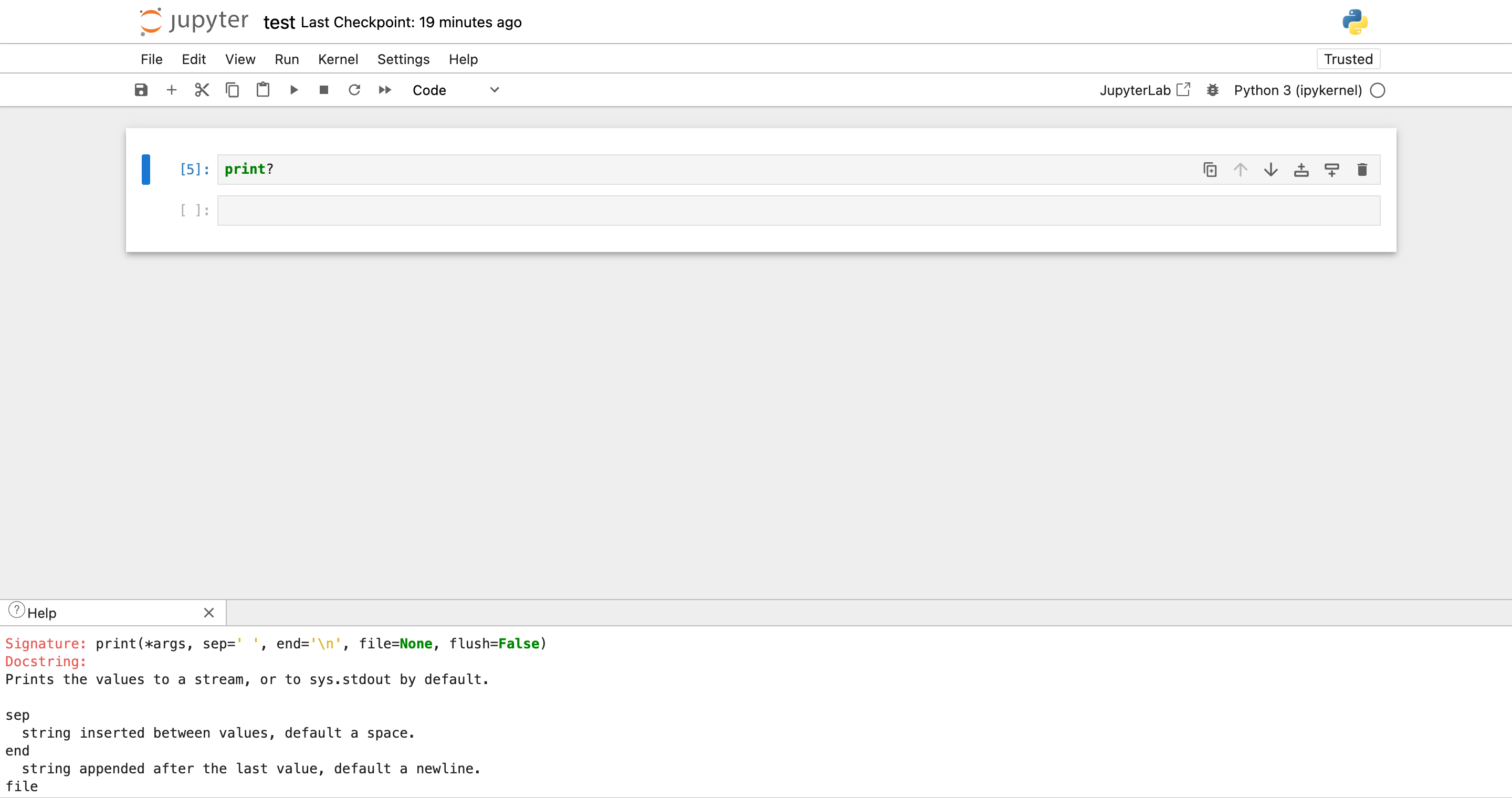
By default, the notebook pager opens documentation in the down area at the bottom of the notebook interface. This behavior is inherited from the classic Jupyter Notebook interface and keeps your main notebook view uncluttered while providing easy access to help content.
When you use help commands like:
# Show help for a function
help(print)

# IPython magic for quick help
print?

# Detailed help with source code
print??
The documentation will appear in the collapsible panel at the bottom of the notebook page.
Configuration Options#
You can customize the pager behavior through the notebook settings:
Opening Help in Different Areas#
The pager behavior is controlled by the helpInBottomPanel setting:
true(default): Help content opens in the down areafalse: Help content displays inline within the cell output (like in JupyterLab)
How to Change the Setting#
Via the Settings Editor: Navigate to Settings → Settings Editor (available from the home page), select the Notebook section, and toggle Show Help in Bottom Panel
Via Configuration File: Add the following to your settings overrides:
{
  "@jupyterlab/notebook-extension:tracker": {
    "helpInBottomPanel": false
  }
}
Switching to the JupyterLab behavior#
If you prefer the JupyterLab approach where help content appears inline with your cell outputs, set helpInBottomPanel to false. This will display help content directly below the cell that requested it, similar to regular cell output.
Each mode has its own benefits.
With the Down Area (Default)
Persistent: Help content stays visible while you work on other cells
Organized: Keeps main notebook area clean and focused
Familiar: Matches classic Jupyter Notebook behavior
Inline Output
Contextual: Help appears directly where you requested it
JupyterLab-compatible: Familiar to JupyterLab users
Self-contained: Each cell’s help is contained within its output